

AI Invoice Processor
AI-Powered Invoice Extraction, Verification & Workflow Automation
About AI Invoice Processor
AI Invoice Processor brings invoice capture, AI extraction, human verification, and financial tracking into one workspace. Upload invoices, ingest documents through an API, or connect Gmail to turn incoming attachments into structured records with vendor details, dates, taxes, totals, and line items.
Finance teams can compare extracted data against the original document, resolve discrepancies, allocate invoices to projects, and approve or reject records before archiving them. Google Drive integration keeps processed documents organized, while tenant isolation, role-based team management, and audit logs support day-to-day control.
Detailed System Modules & Interfaces
Deep dive into the core architecture, interactive workflows, and user interfaces.
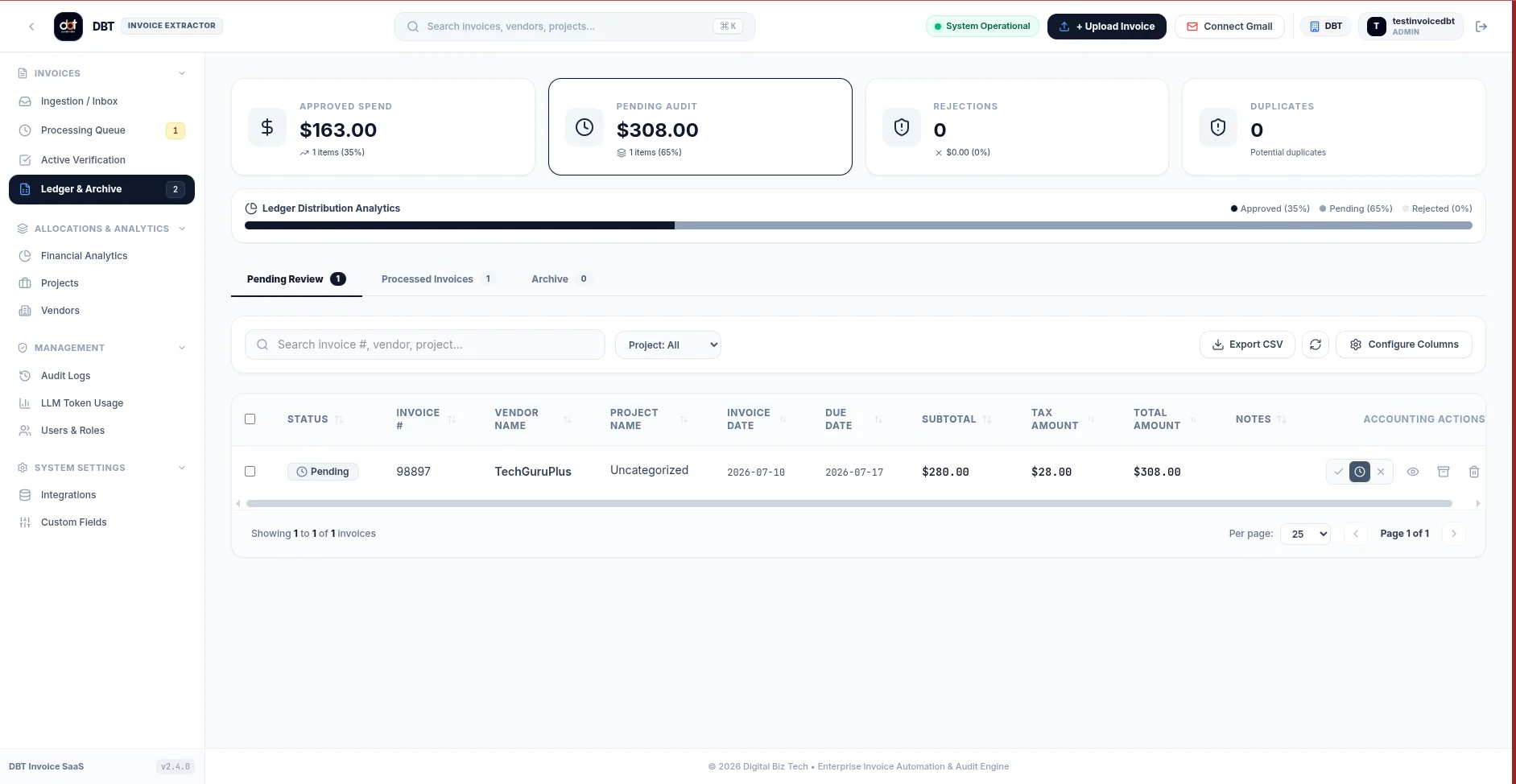
One ledger for every invoice
Keep incoming, pending, approved, rejected, and archived invoices visible in a searchable workspace. A central ledger helps reviewers find the next document that needs attention and follow it through the approval process.
Review the source. Resolve the details.
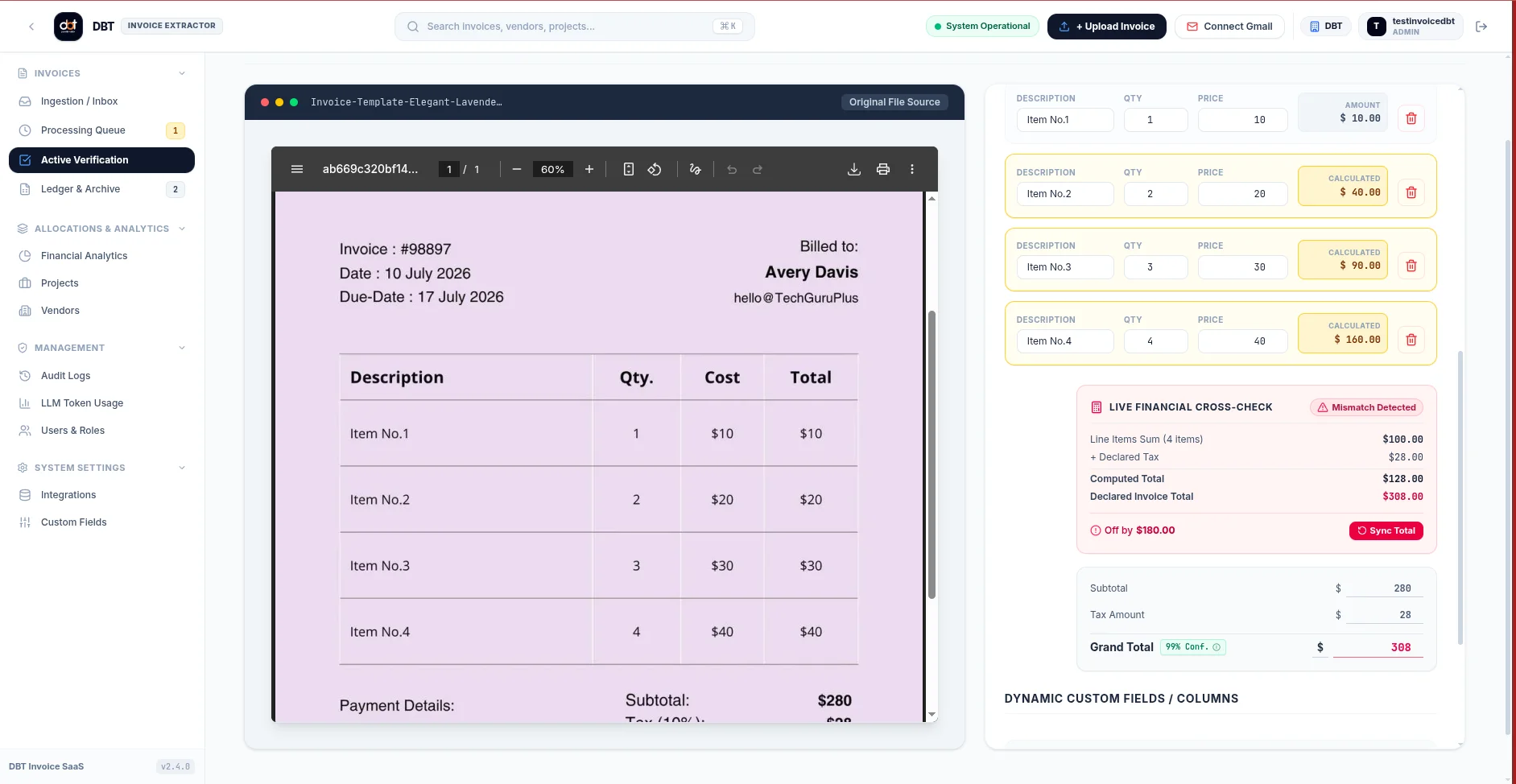
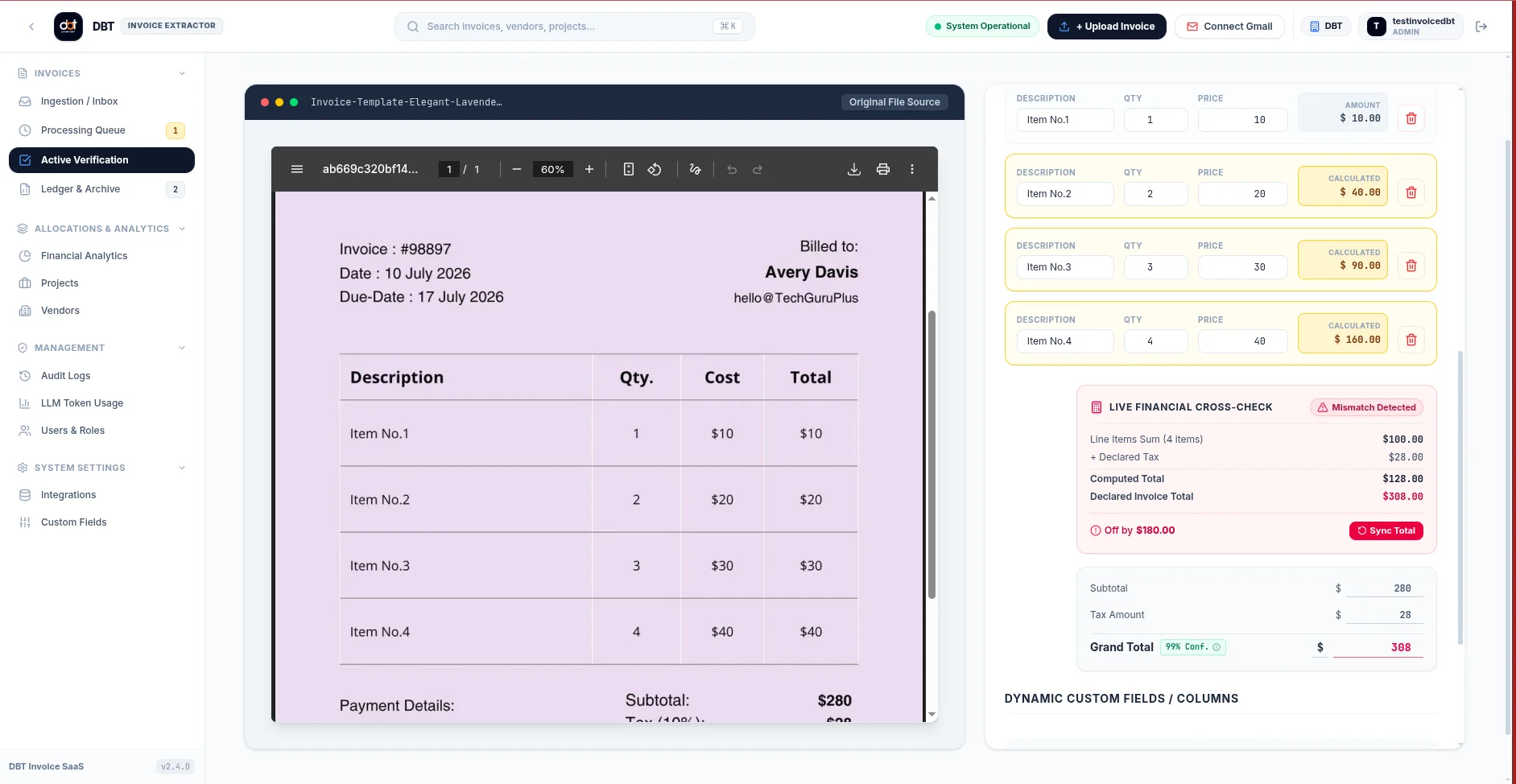
The extraction pipeline combines document OCR with structured field parsing. Reviewers see the original invoice beside editable data, giving them the context to validate vendor information, dates, line items, tax, and totals before approving a record.
Understand spend across projects and vendors
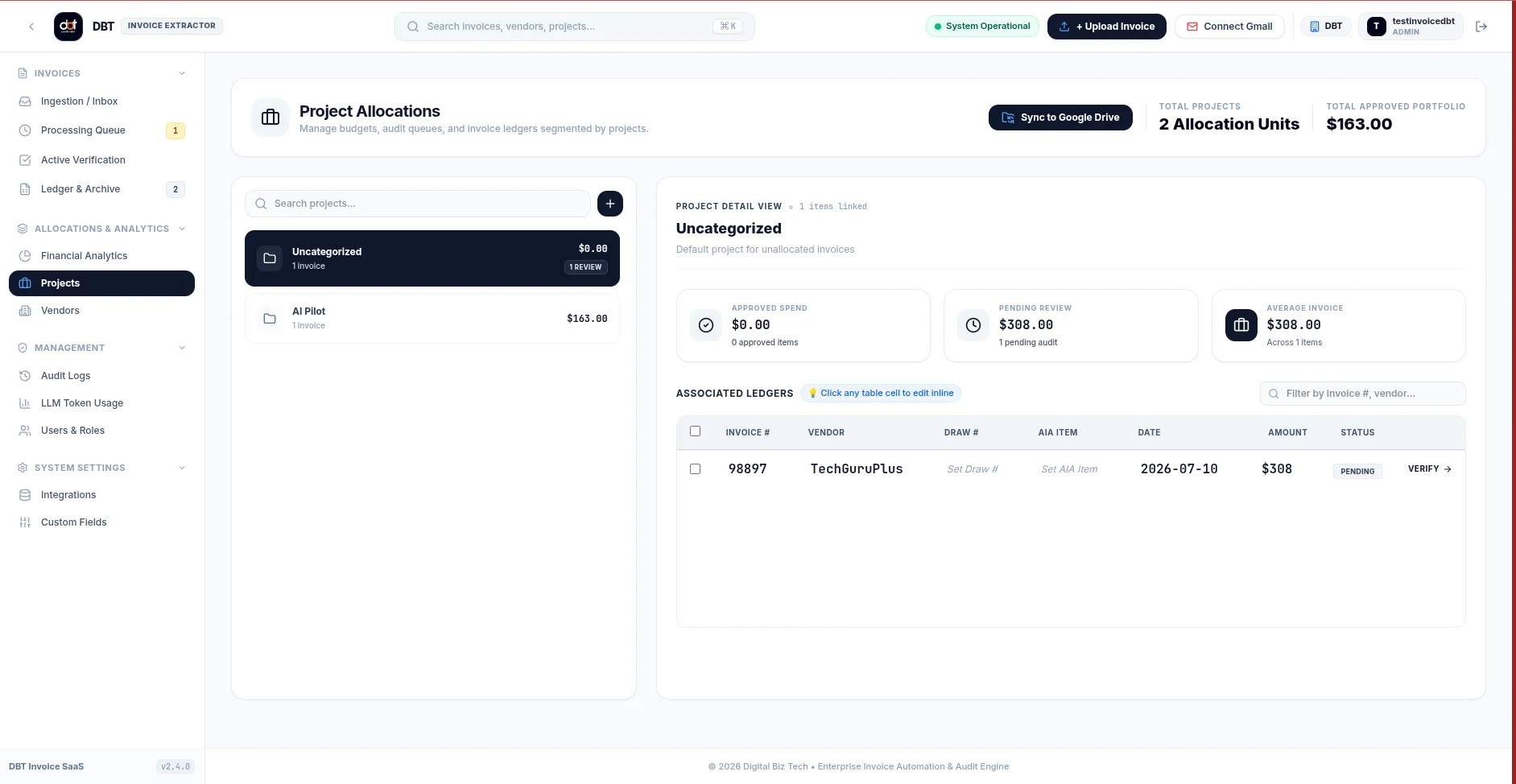
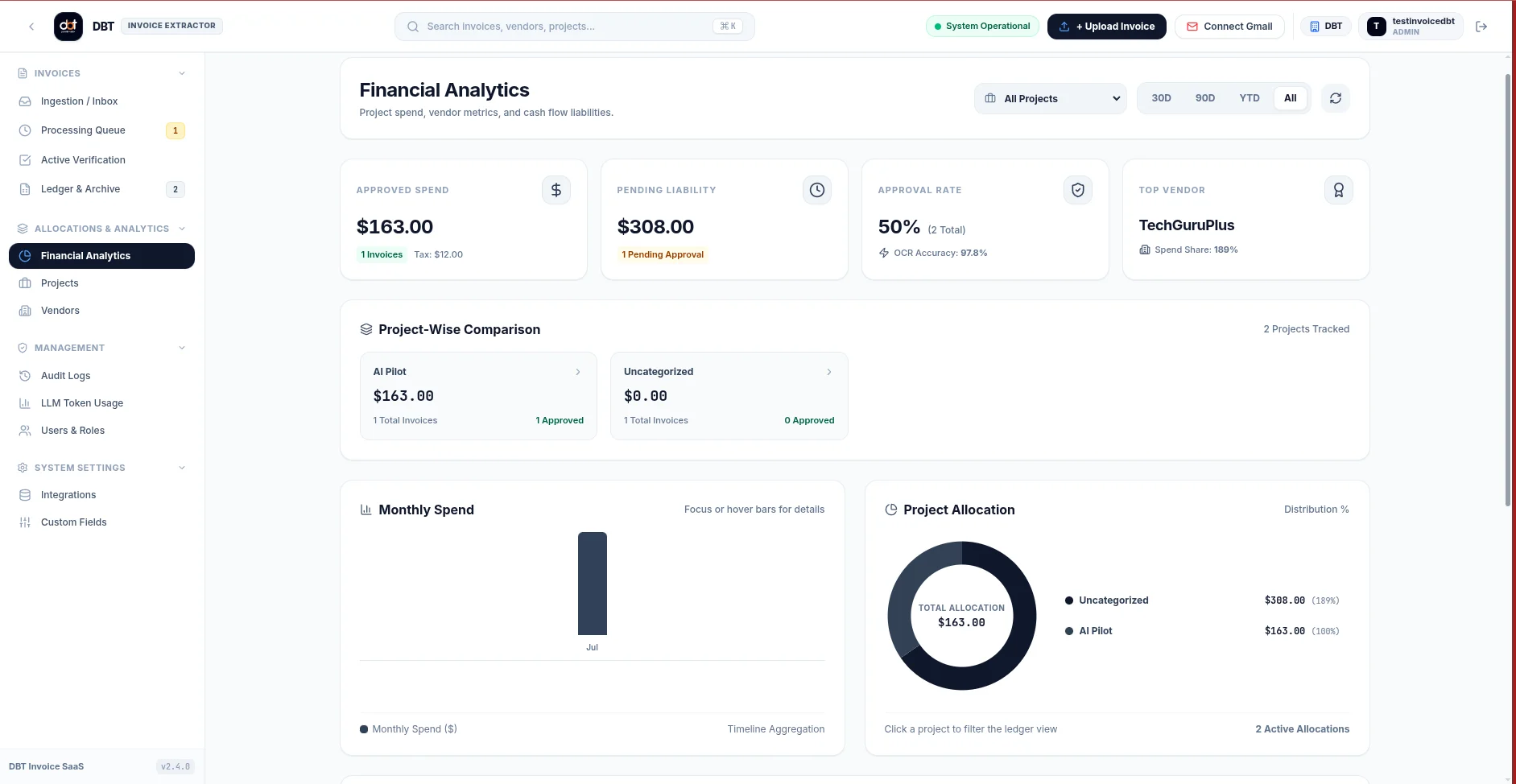
Allocate invoices to projects and track approved spend alongside pending liabilities. Financial analytics bring project comparisons, vendor metrics, monthly spend, and allocation views together so teams can see where invoices belong and what still needs review.
Connect capture to organized document storage
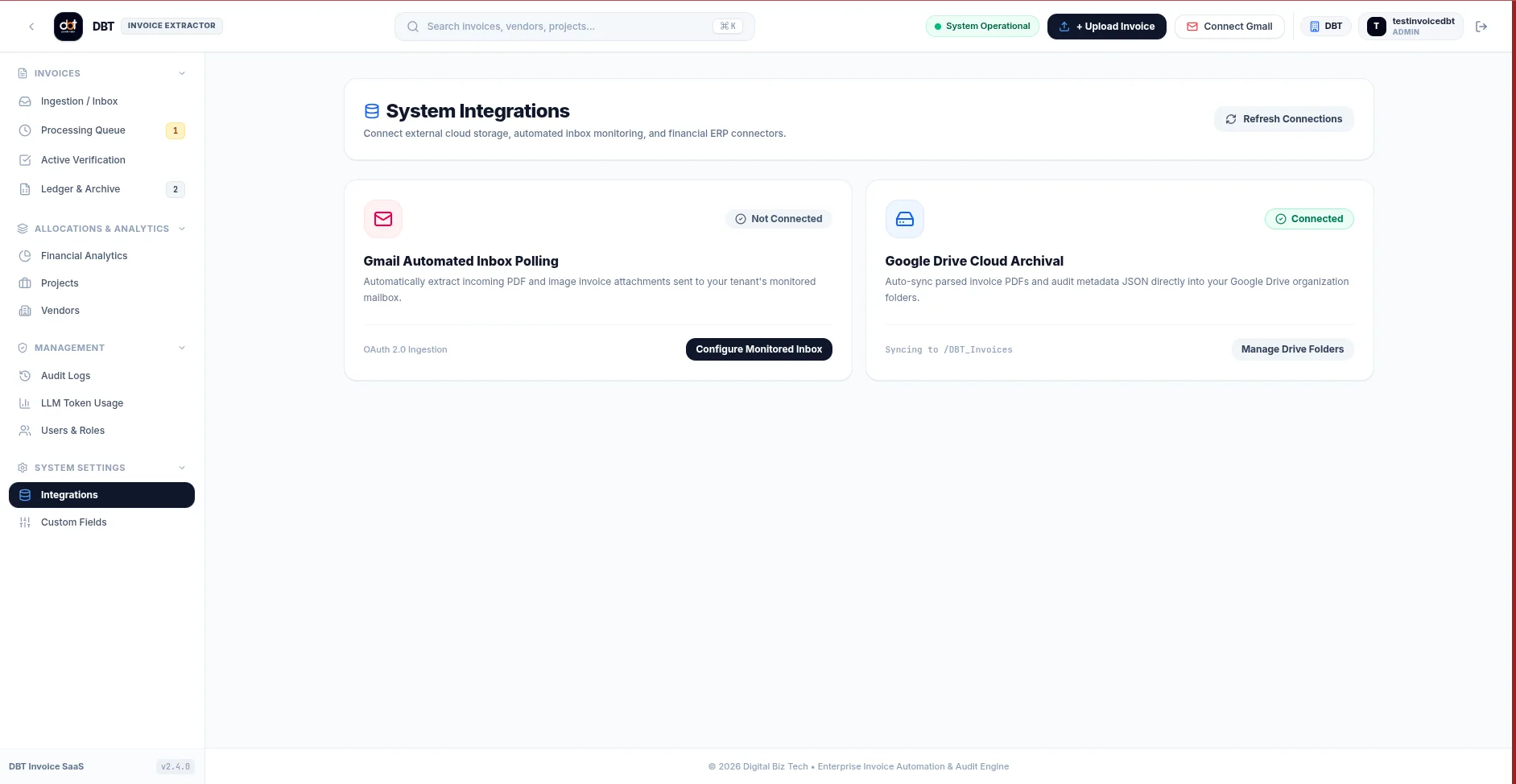
Connect a monitored Gmail inbox to capture invoice attachments and synchronize processed documents into project-specific Google Drive folders. Manual upload and API ingestion remain available for documents arriving through other channels.
See how document intelligence is being used
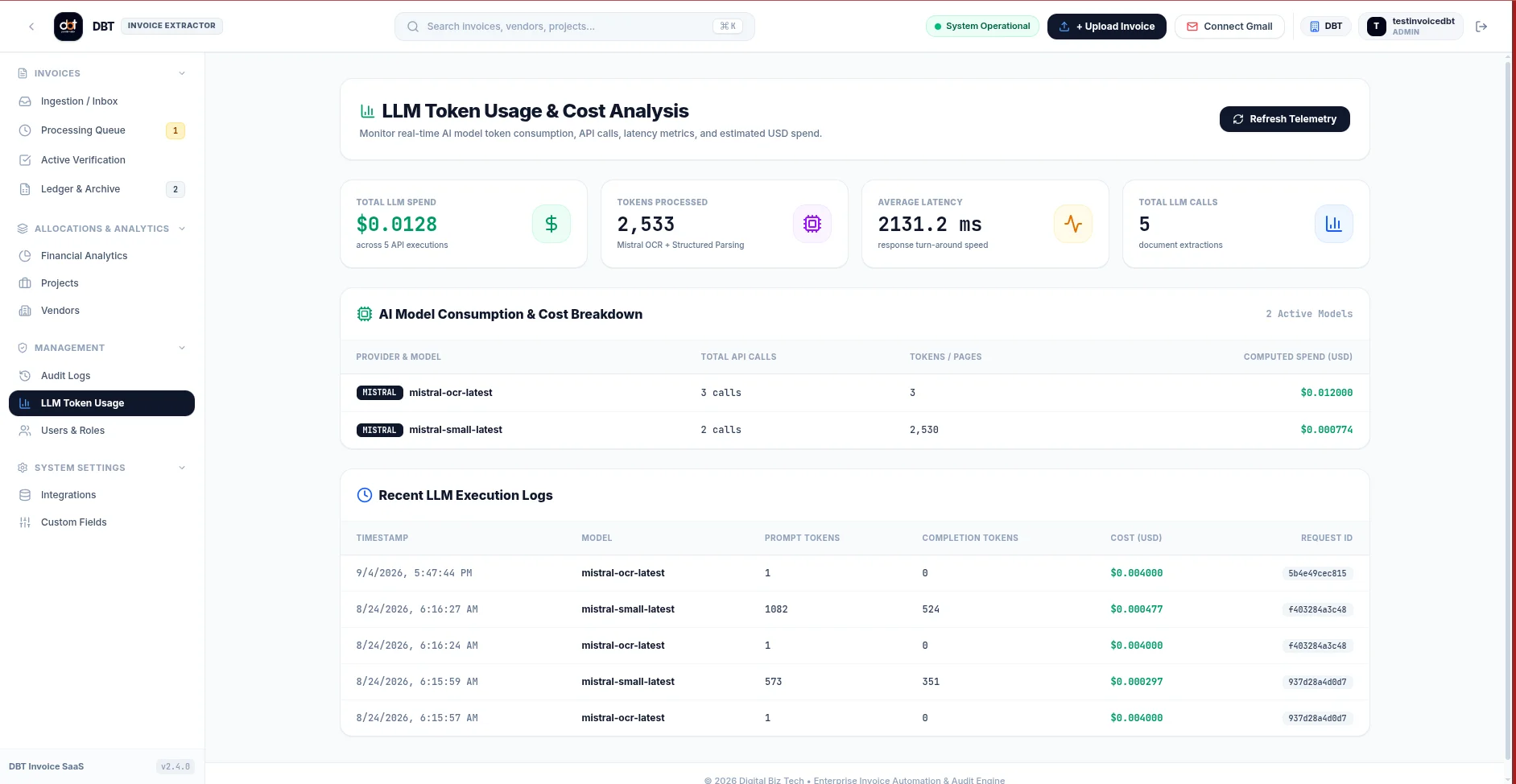
Monitor AI processing activity alongside invoice operations. Usage reporting shows model calls, token or page consumption, latency, and estimated spend, helping administrators understand the cost of OCR and structured extraction.
Give each organization its own workspace
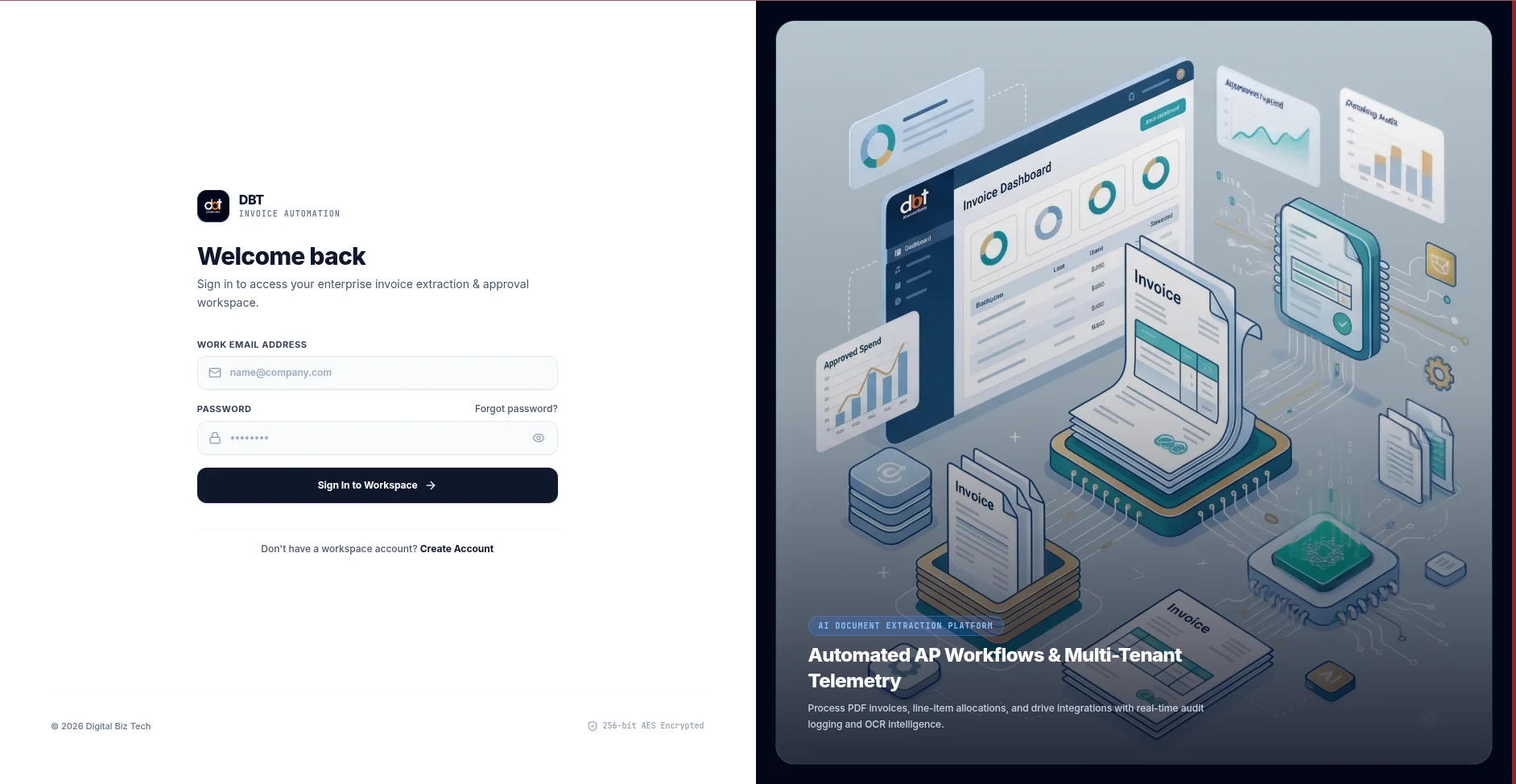
Organization workspaces combine authenticated access with PostgreSQL row-level tenant isolation. Administrators can invite teammates, manage roles and member status, and review audit activity across invoice and security events.
Key Features & Architecture
Built to meet rigorous enterprise benchmarks for stability, auditability, and speed.
AI-Powered Document Extraction
Mistral OCR and structured AI parsing convert invoice documents into editable fields and line items, with confidence indicators to guide review.
Human-in-the-Loop Verification
Review the original invoice beside extracted data, check calculated totals, and correct discrepancies before approval.
Connected Invoice Operations
Bring manual uploads, API ingestion, Gmail capture, Google Drive archival, project allocation, and financial reporting into one workflow.
Workspace Governance
Manage team roles, track invoice activity, configure custom fields, and monitor AI usage within an isolated organization workspace.
Supported Platforms & Standards
Ready to evaluate AI Invoice Processor?
Schedule a personalized demonstration with our technical architects to explore architecture, compliance safeguards, and seamless rollout across your org.