

CapaSolve
Finite-Capacity Production Scheduling & Manufacturing Intelligence
About CapaSolve
CapaSolve brings production scheduling, capacity planning, and shop-floor execution into one browser-based workspace. Built for factory planners, plant managers, and machine operators, it turns ERP work orders into a practical schedule that accounts for machine availability, routing sequences, setup times, workforce capacity, and working calendars.
Import manufacturing data, clean inconsistent records, build a finite-capacity plan, and inspect the result across Gantt timelines, capacity charts, and monthly calendars. When priorities change, test a what-if scenario before updating the plan. Dispatch operations to the shop floor and use production feedback to track progress, scrap, and overall equipment effectiveness.
Detailed System Modules & Interfaces
Deep dive into the core architecture, interactive workflows, and user interfaces.
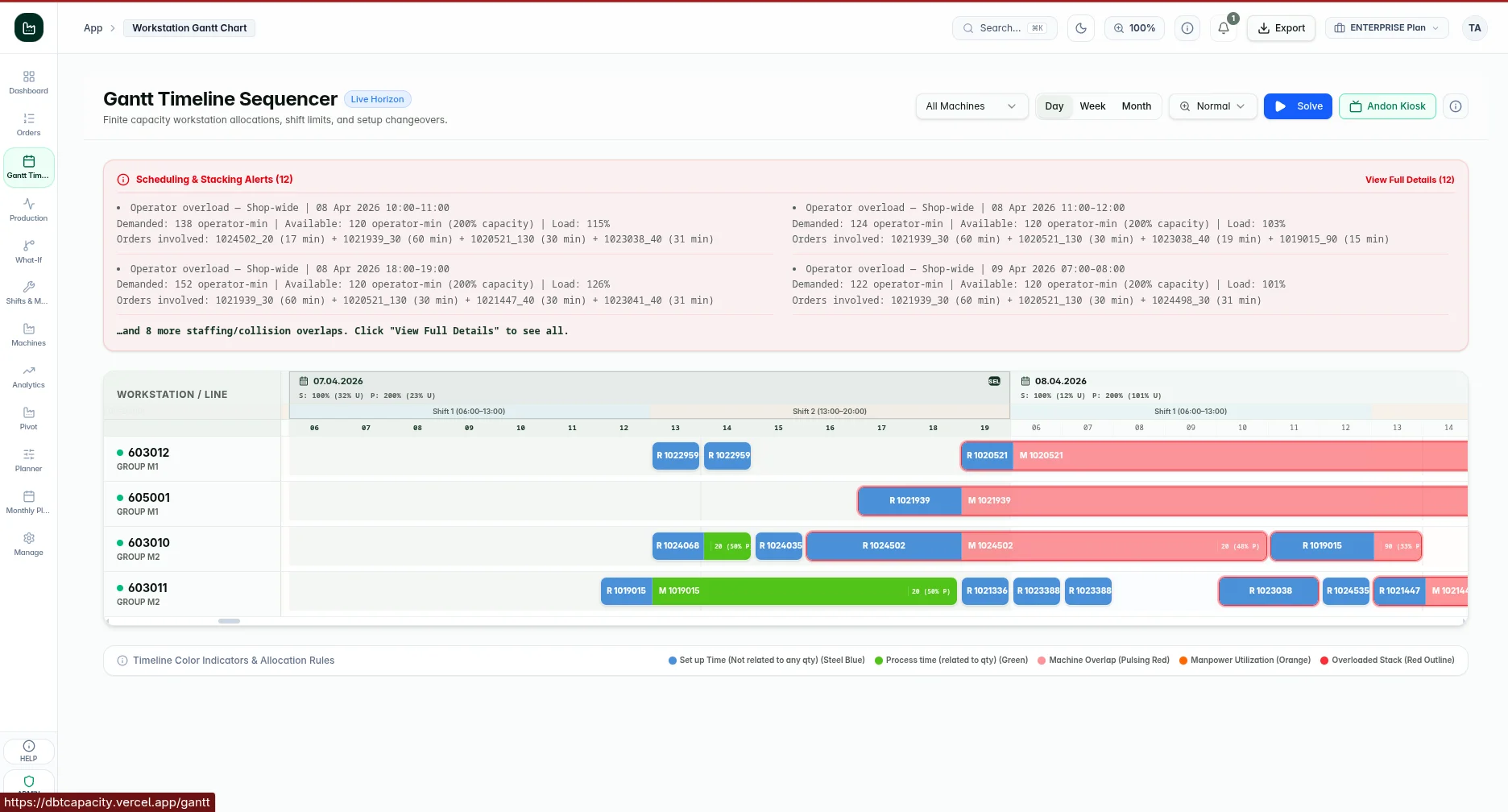
One workspace from planning to dispatch
Give planners a shared view of work orders, scheduled operations, machine load, and production exceptions. The dashboard connects scheduling decisions with the dispatch queue so teams can follow work from the plan to execution.
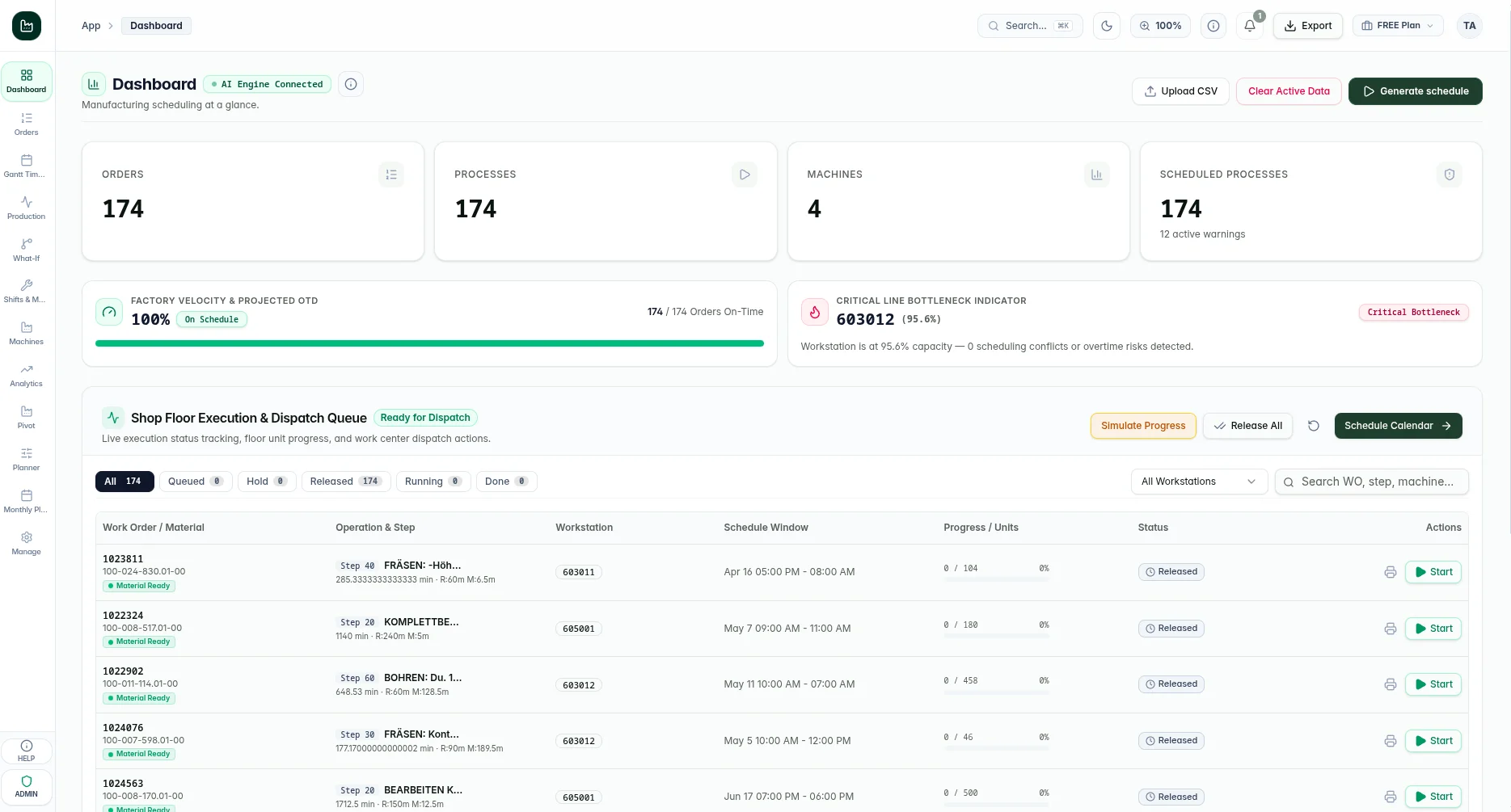
Build a plan around real factory constraints
The scheduling engine allocates operations against available machines, setter technicians, and machine operators. Routing steps stay in sequence, manually pinned operations reserve their slots, and working calendars determine when work can run.
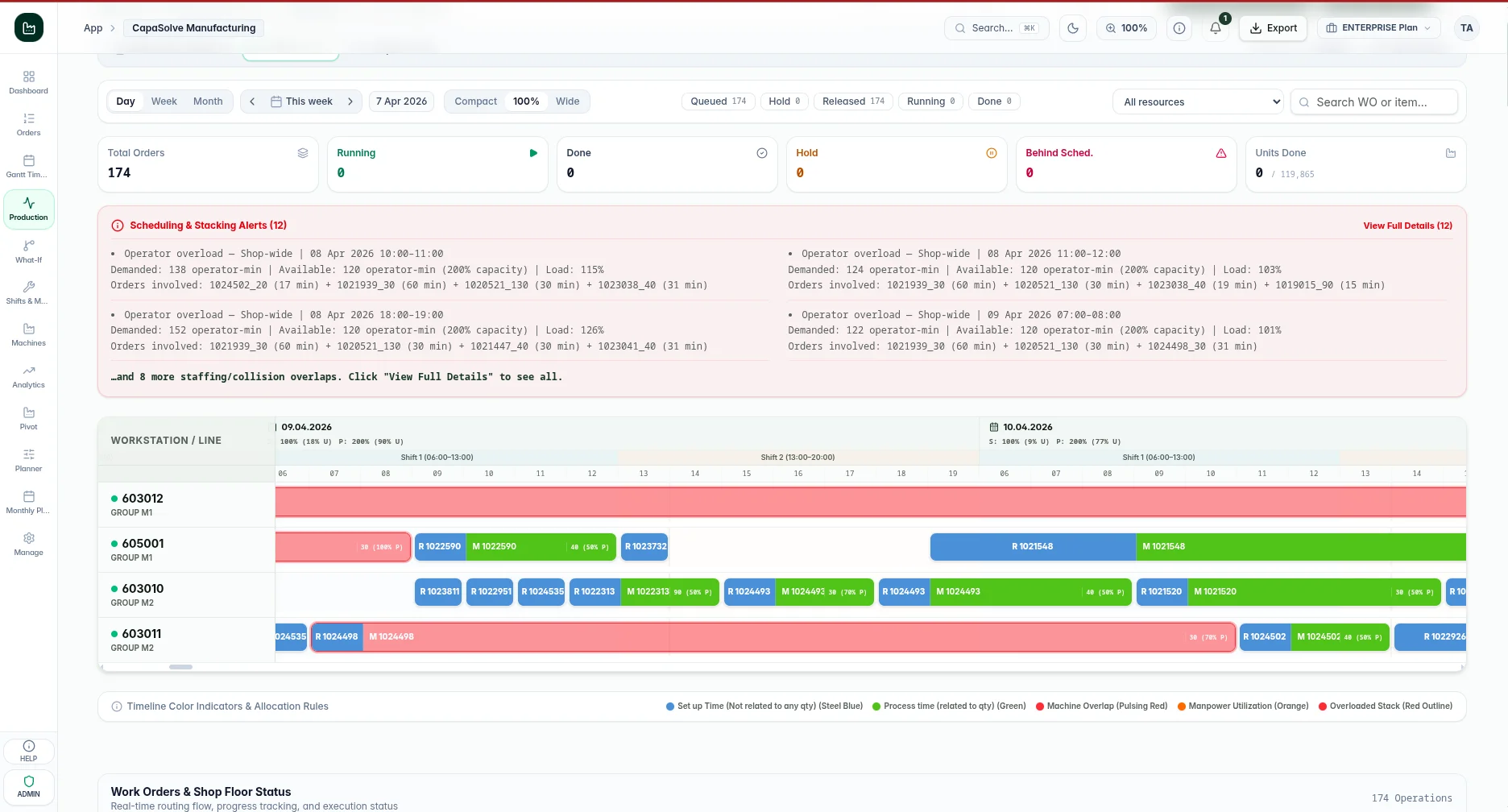
See where resources are stretched
Compare planned demand with available capacity before committing to the production plan. Daily resource charts and planning views help teams inspect setter and operator load, adjust availability, and explore the schedule at different time scales.
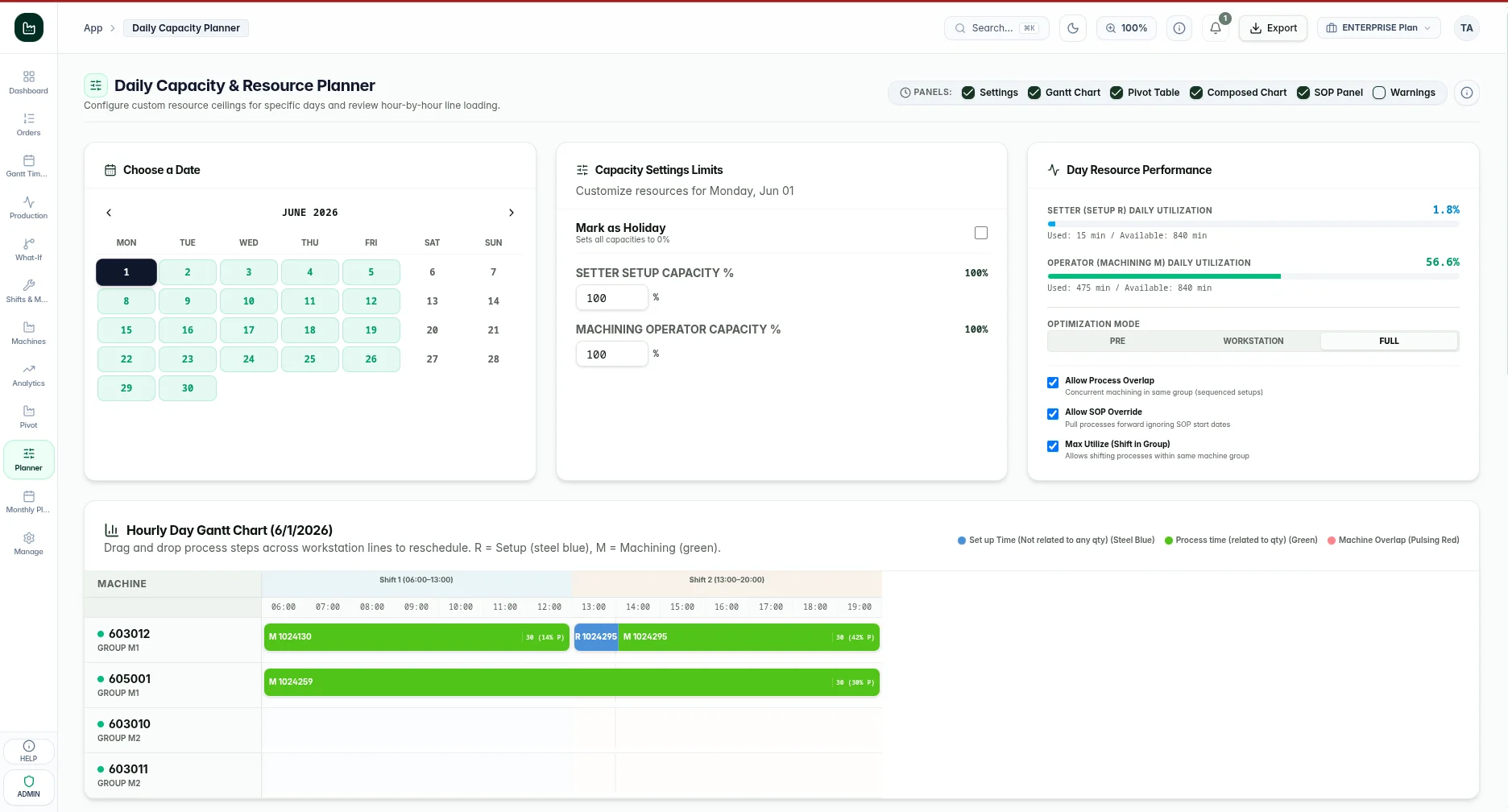
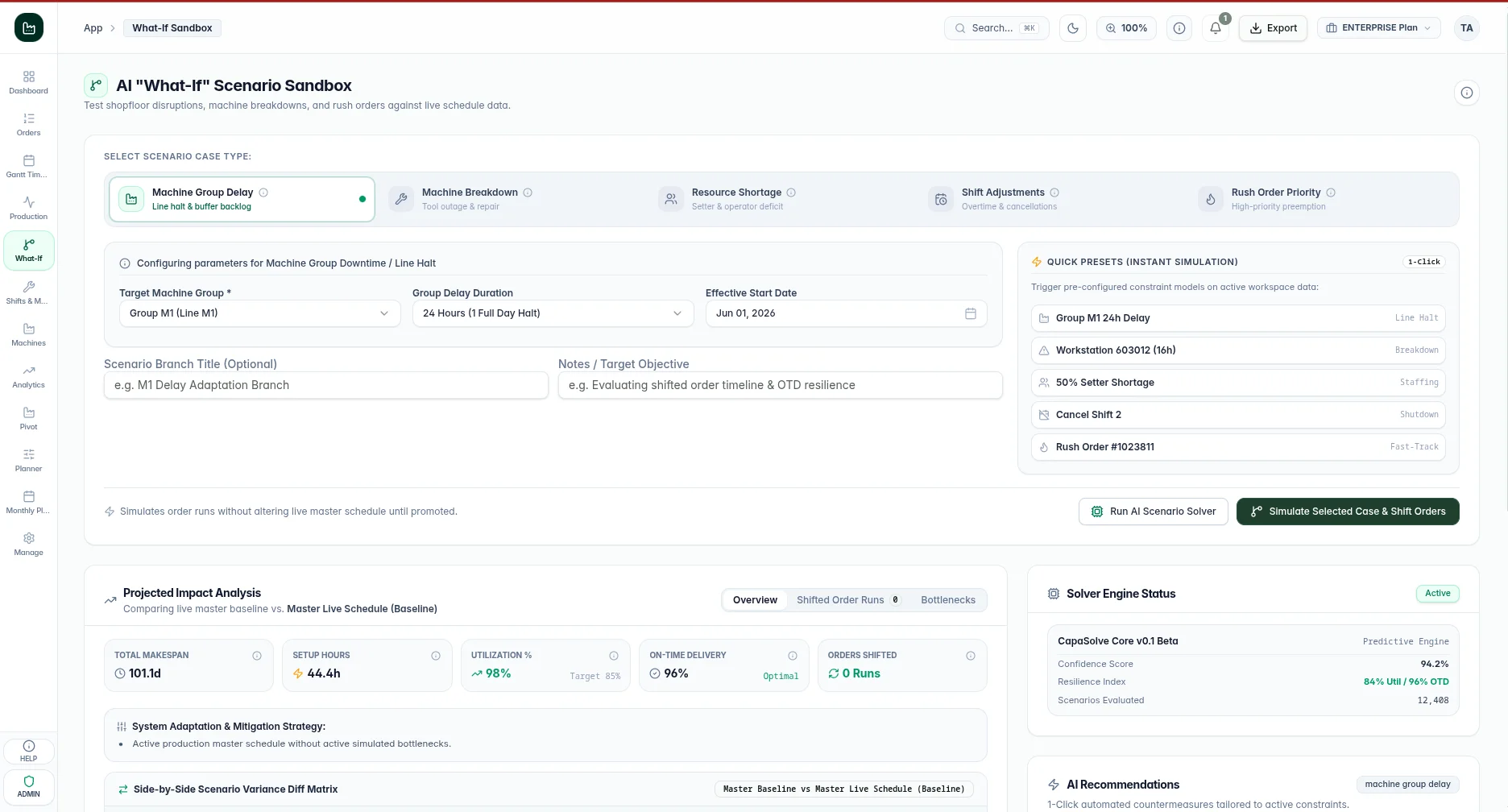
Test disruptions before they reach the shop floor
Create a scenario branch to understand how a change affects the schedule. Compare the resulting makespan, setup hours, utilization, and projected on-time delivery, with a before-and-after view of shifted orders.
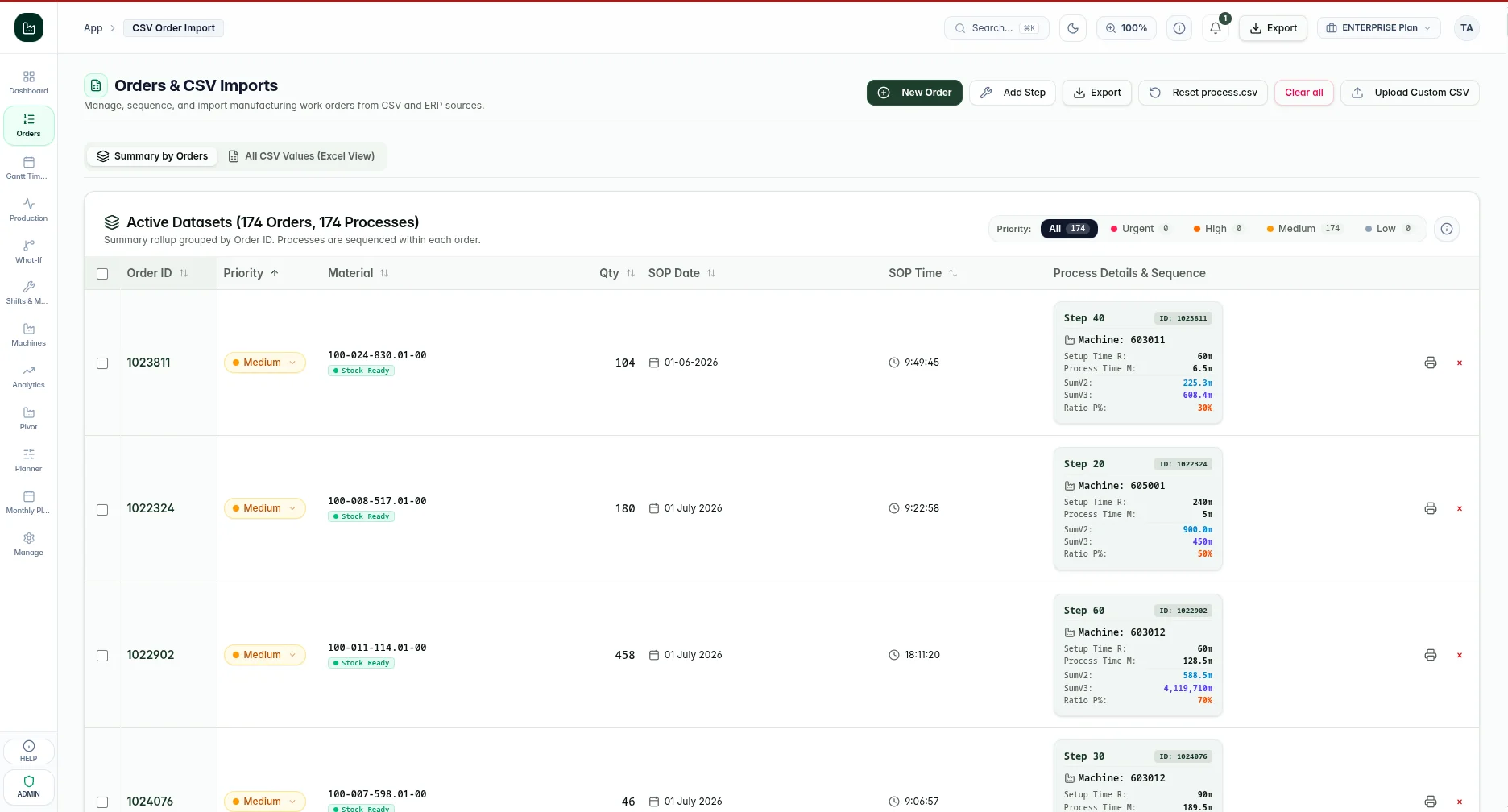
Turn manufacturing exports into usable plans
Bring CSV and Excel work-order exports into a guided cleaning workflow. Automatic delimiter detection and English/German column mapping help normalize data before it enters the scheduler.
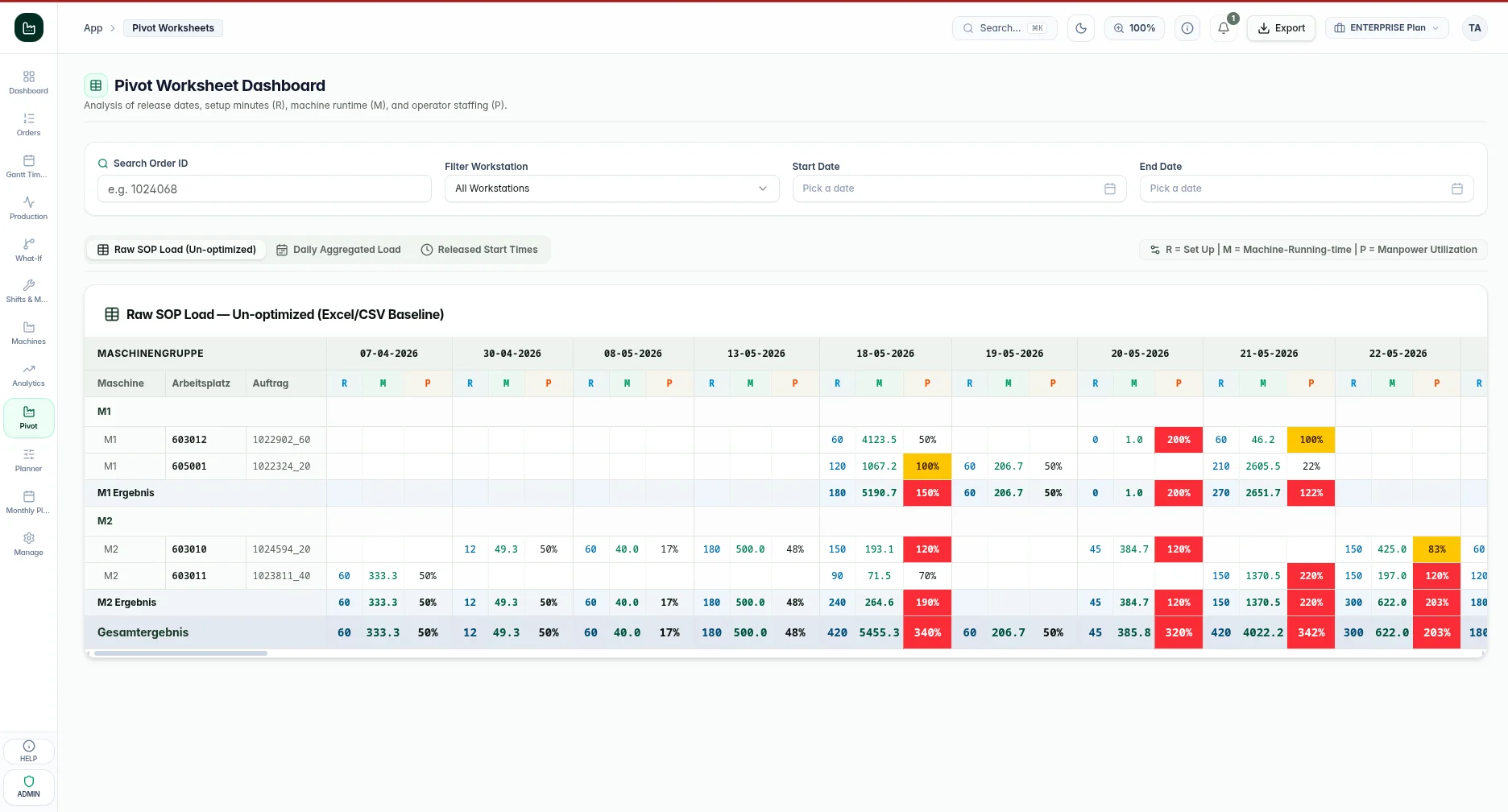
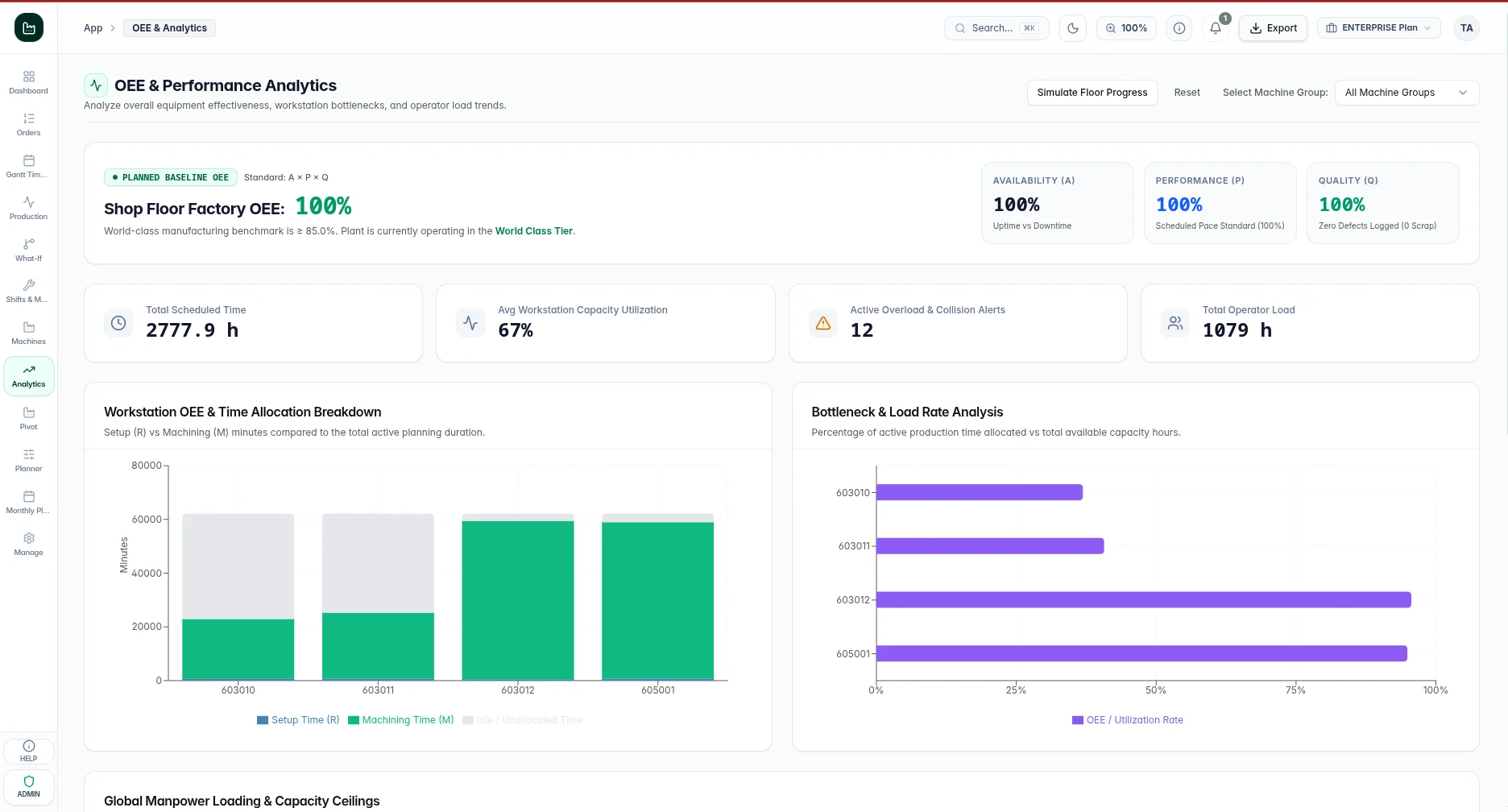
Connect the schedule with production performance
Analyze workload and execution results through pivot worksheets and performance dashboards. Shop-floor feedback records completed quantities, scrap, and operation status so managers can review utilization, setup effort, and OEE alongside the production plan.
Supported Platforms & Standards
Ready to evaluate CapaSolve?
Schedule a personalized demonstration with our technical architects to explore architecture, compliance safeguards, and seamless rollout across your org.